What gets in the way of good records
Most sole traders do not lack receipts; they lack them in one place. Some are PDFs in Gmail, some are paper slips in a van, some only exist as a line on a card statement. Personal and business spending often share one account. By January, matching each payment to its paperwork takes hours you would rather spend working.
Billfetch is built to keep that job small every month instead of large once a year.
Collect receipts the moment you get them
Every document is read and given a suggested supplier, date, amount, VAT and category, which you check and approve. See receipt capture for how documents are read and checked.
- Photograph a paper receipt and send it to the Billfetch bot on Telegram — no need to open the app.
- Forward invoice emails to your private forwarding address, or give that address to suppliers as their billing email.
- Connect a Gmail, Outlook or other mailbox and let Billfetch pick out the invoices.
- Drag PDFs and photos into Billfetch from your computer or phone.
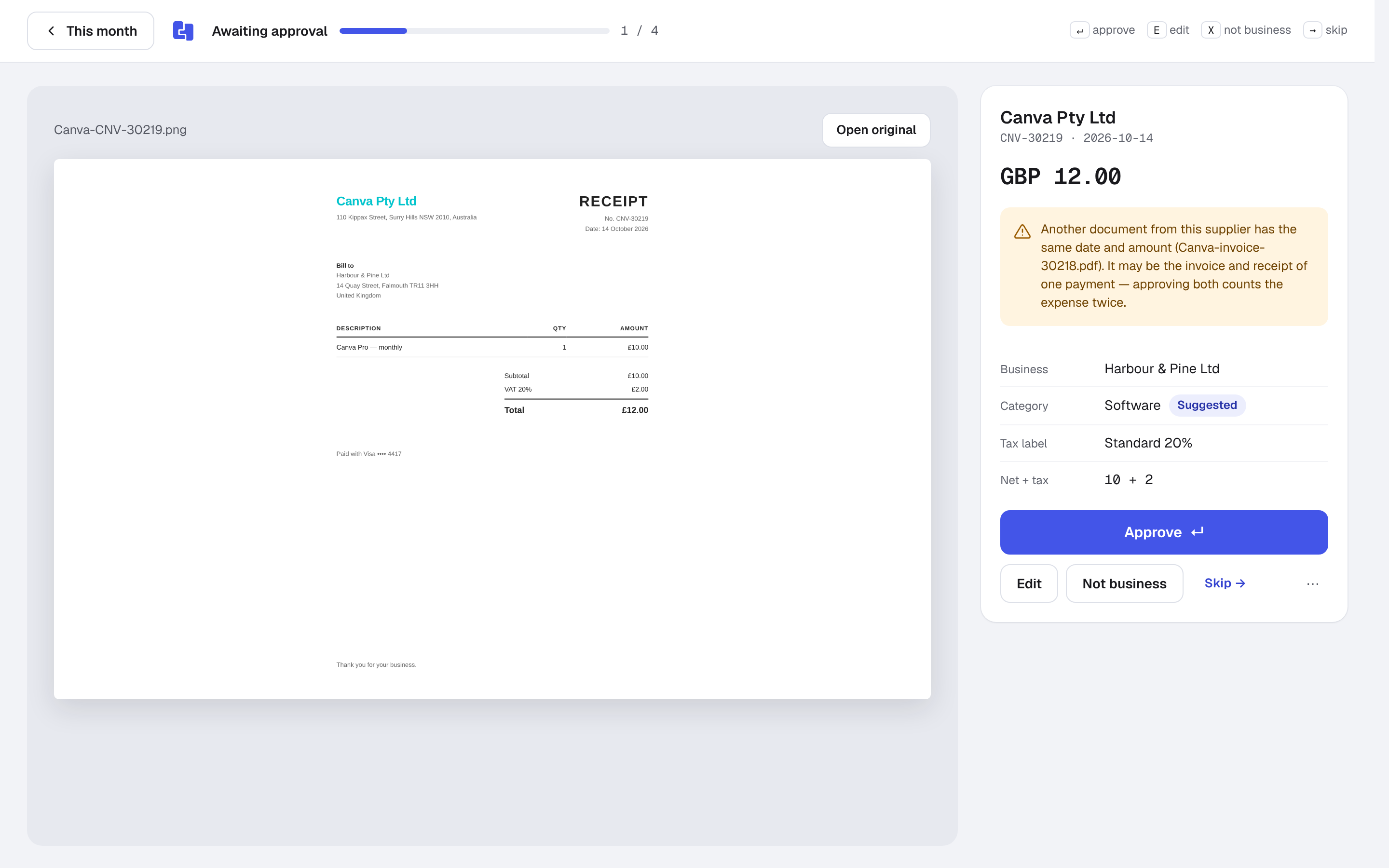
Every payment matched to its receipt
Connect Wise, Starling or Revolut Business directly, or upload a CSV statement from any other bank; Monzo, Barclays, Lloyds, NatWest and American Express files are recognised automatically. Billfetch pairs each payment with its document by amount, date and supplier name.
A payment with no document goes on the missing list. From there you can upload the receipt, record it as an expense without an invoice (bank fees, for example) or mark it as a personal payment so it stays out of your business figures. Nothing is quietly dropped, and everything can be undone.
Personal and business in one account
Plenty of sole traders run everything through one current account. Marking personal payments keeps them out of your records while still showing how many were excluded, so your accountant can see what was taken out and why. When you approve the same supplier twice, Billfetch offers a rule, so next month's payments are categorised for you.
Keeping records the way HMRC expects
If you are self-employed, GOV.UK says to keep your records for at least five years after the 31 January submission deadline of the tax year they relate to. Billfetch keeps the original file of every document exactly as it arrived, next to the payment it explains, so the archive builds itself. Read how long to keep business records for worked dates.
Billfetch does not submit your Self Assessment or anything else to HMRC. It gives you, or your accountant, complete and checked records to file from.
Spending in other currencies
Software subscriptions in dollars, a trade fair in euros, materials from abroad: Billfetch converts each amount to pounds with HMRC's monthly exchange rates and keeps the original amount and rate on the record, so your figures agree with your accountant's.
VAT-registered or not
Tell Billfetch whether your business is VAT-registered, which scheme you use and whether you work on a cash or accruals basis. If you are not sure, choose "I'm not sure": Billfetch uses a safe default and flags the answer as unconfirmed in the package, so your accountant can check it.
Handing over to your accountant
At year end, or every month if you prefer, Billfetch builds one accountant package: a summary by category, every record, a list of anything still open and the original receipts in a ZIP, with optional import files for Xero, QuickBooks or FreeAgent. If you do your own books in FreeAgent or QuickBooks, the Business plan can send expenses there as bills with the receipt attached.
Thinking of becoming a limited company?
When you incorporate, add the new company as a second business. Each keeps its own sources and records, so the sole-trader months and the company months never mix. See Billfetch for limited companies for what changes.