Why Etsy deposits never match your sales
Etsy pays you a net amount. Before money reaches your bank it has already taken transaction fees, payment processing fees, listing and renewal fees, Etsy Ads and Offsite Ads charges, the VAT it adds to those fees, any refunds you gave and sometimes postage. If you record the deposit as income, your sales are understated and your costs disappear.
The usual fix is a monthly spreadsheet built from Etsy's statement and CSV downloads. It works until a refund lands in the next month, a fee is charged in US dollars or two deposits fall in the same week. Our worked example of a £1,240 Etsy payout shows how many lines sit behind a single deposit.
What Billfetch imports from your Etsy shop
You connect Etsy once by signing in to Etsy and approving access. Billfetch asks only for permission to read your shop and its transactions, so it cannot change listings, orders or settings. From then on it brings in:
- Each order at its gross value, so sales are recorded before Etsy takes anything.
- Every fee from your Etsy payment account, kept by type: transaction, payment processing, listing and renewal, Etsy Ads, Offsite Ads and subscription fees.
- VAT charged on Etsy's own fees, as a separate line, and credits when a fee is refunded.
- Refunds to buyers, linked to the order they belong to.
- Deposits to your bank, which become the checkpoints for reconciliation.
- Sales tax or VAT that Etsy collects from buyers and pays over itself, kept apart so it is not counted as your income.
Every deposit reconciled twice
For each deposit Billfetch asks two questions. First: do the Etsy movements since the previous deposit add up to this amount? Second: did this amount actually arrive in your bank or Wise account? If both answers are yes, the deposit is reconciled and you never think about it again.
If something does not add up, Billfetch shows the difference, for example a deposit of £412.00 against ledger movements of £418.30. It does not guess the reason or post a balancing figure. You see the gap, the lines behind it and the bank transaction, and you or your accountant decide what it is. The same check works with a bank statement uploaded as CSV if your bank has no direct connection.
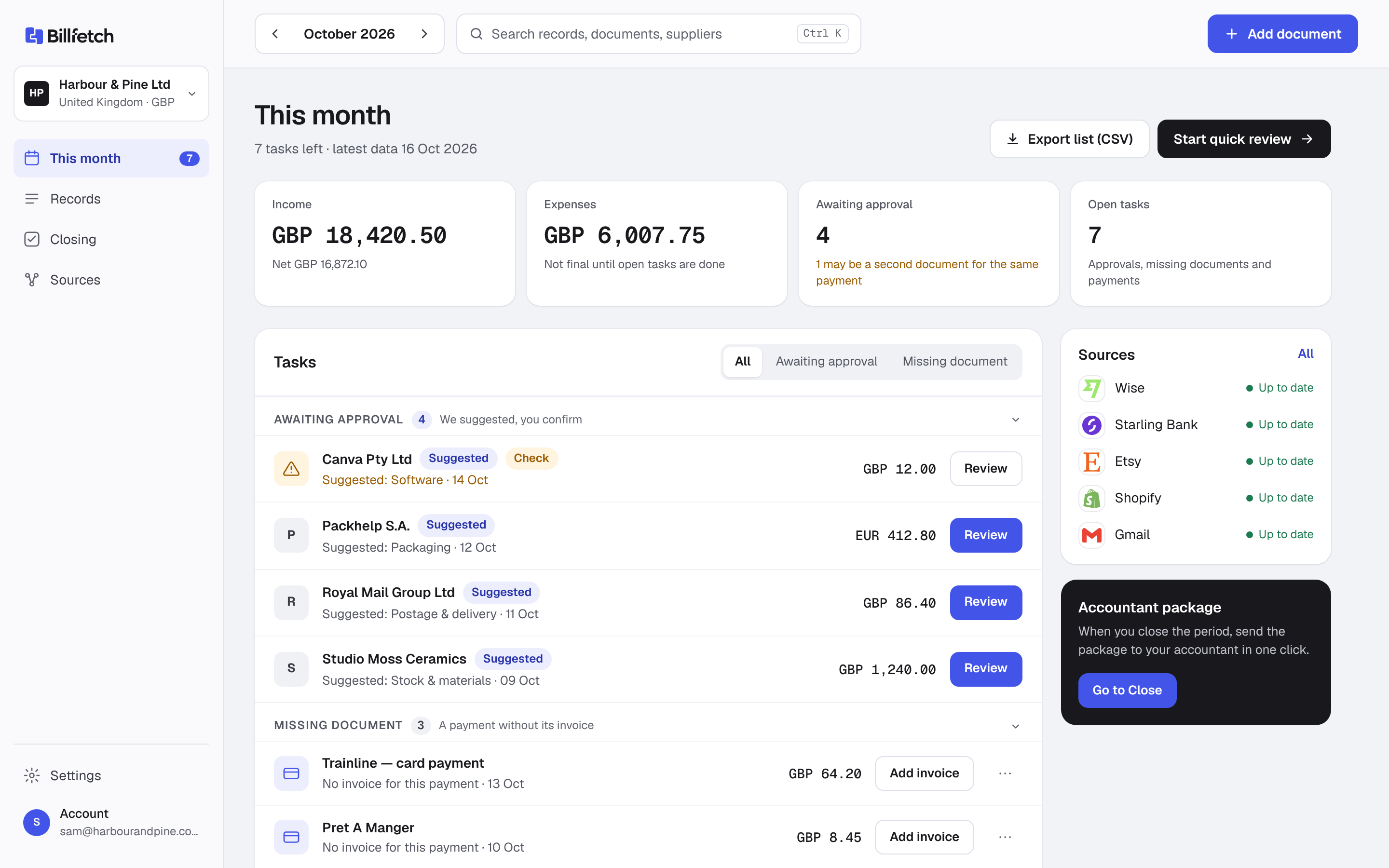
Supplier receipts in the same place
Etsy is only half of the picture. Packaging, materials, postage, printers and software arrive as emails and paper receipts. Forward them to your private forwarding address, photograph them on Telegram or drop the PDF into Billfetch. Each one is read, given a suggested supplier, amount and category and then matched to the card or bank payment that paid for it.
Payments without a receipt go on a short missing list rather than slipping through. Fix them as you go or leave them for month end.
Print on demand and other channels
Many Etsy shops use Printify, Printful, Gelato or Prodigi. Billfetch imports their production costs per order and, where the print order carries your Etsy order number, puts the cost next to the sale so you can see what each order earned. A production cost with no sale to match is listed, not hidden. Our print on demand bookkeeping guide explains why order numbers beat dates.
Selling on eBay or your own Shopify store as well? Read Billfetch for online sellers and see every channel on the integrations page.
Shops priced in another currency
If your shop or some of your costs are in US dollars or euros, Billfetch converts each figure to pounds with HMRC's monthly exchange rates and keeps the original amount and the rate beside it. Your accountant sees where every converted number came from.
What your accountant receives
At month end, or once a year, Billfetch builds one package: a summary with income split into gross sales, fees, refunds and net, every record line by line, a list of anything still open and the original documents. It can include import files for Xero, QuickBooks or FreeAgent. See what is in the accountant package, or invite your accountant to read it directly.