The channels Billfetch reads
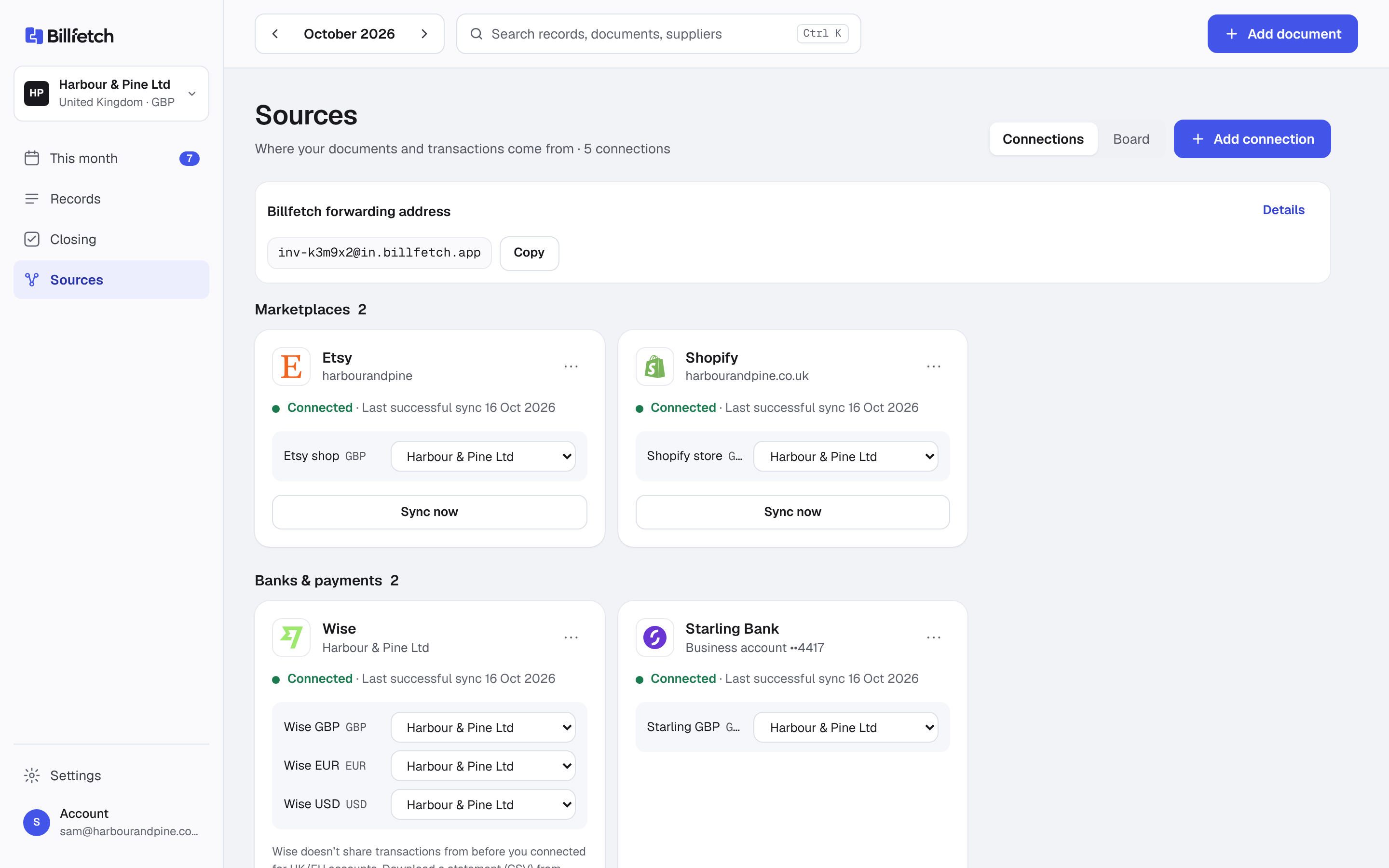
These connections are available today. Each one only reads data; none can change your listings, orders or prices.
- Marketplaces: Etsy and eBay (ebay.co.uk) — orders, fees, refunds and payouts.
- Your own store: Shopify (orders, refunds and Shopify Payments payouts), WooCommerce (orders and refunds) and Squarespace (store orders).
- Payments: Stripe, PayPal, SumUp, Square, Zettle, GoCardless and Mollie — charges, fees and payouts.
- Digital products: Paddle, Lemon Squeezy and Gumroad, recorded excluding the sales tax they collect as merchant of record.
- Print on demand: Printify, Printful, Gelato and Prodigi — production costs per order.
- Shipping: ShipStation label costs.
- Banks: Wise, Starling and Revolut Business directly; any other bank by CSV statement.
Not on the list yet
Amazon Seller is planned but not available yet. Until then, Amazon payouts still arrive in your bank and are matched like any other deposit, and you can upload Amazon's invoices for fees. The integrations page always shows what is live and what is planned.
Sales counted once, even with two sources
A Shopify or WooCommerce order paid through Stripe or PayPal appears in both places. Count both and your turnover doubles. Billfetch lets you mark a payment provider as one whose sales already come from a store connection. Its sales are then left out, while its fees and payouts are still recorded, because those only exist at the provider. If a store and a payment provider are both connected to the same business without that setting, Billfetch warns you instead of guessing.
Payouts matched to your bank
Every marketplace and provider pays a net amount on its own timetable. For each payout, Billfetch checks that the amount reached your bank and, for Etsy, that it equals the movements behind it. Differences are shown with the lines that cause them, never smoothed over. For a step-by-step Etsy example, read how to reconcile an Etsy payout; the same logic applies to eBay and Shopify payouts.
Your own costs, such as stock, packaging, software and advertising, are matched to card and bank payments in the same way. See payment matching for how candidates are scored.
Production costs next to the sale
Print-on-demand orders cost money before the customer's payment is released. Billfetch imports each production cost and, where the print order carries the shop's order number, links it to that sale, so you can see sale, fees and production cost together. A production cost with no matching sale is flagged on the missing list. Shipping labels from ShipStation are attached to the order they were bought for. Our print on demand bookkeeping guide walks through a full example.
Multi-currency without manual conversions
Selling to the US or Europe means payouts, fees and supplier invoices in dollars and euros. Billfetch converts each amount to pounds with HMRC's monthly exchange rates and keeps the original currency and the rate on the record. Wise statements and the live Wise connection are de-duplicated by Wise's own transaction ID, so adding older months by CSV is safe.
Supplier invoices collected for you
Platform invoices, supplier bills and software receipts arrive by email. Give suppliers your forwarding address, connect a mailbox or send a photo on Telegram. Each document is read, checked and matched to its payment. Anything without a document lands on a short missing list.
Your month end, step by step
Our month-end checklist covers the same routine in more detail.
- Connected sources sync on their own; the Closing page checks that each one is up to date.
- Approve new documents in quick review, with the original beside the suggested values.
- Work through the missing list: payments without invoices, payouts that do not reconcile, production costs with no sale.
- Prepare the accountant package, or send expenses to FreeAgent or QuickBooks on the Business plan.
More than one shop or business
If you run a UK limited company and also sell through another business, each business keeps its own sources, currency, rules and accountant package. The Business plan covers up to three businesses and unlimited connected sources; compare plans on the pricing page. Selling mainly on Etsy? See Billfetch for Etsy sellers.